


By using this site, you agree to the Privacy Policy and Terms of Use.
Accept
Next India Magazine
  • Home
    • Home 2
    • Home 3Hot
    • Home 4
    • Home 5New
  • Home
  • Opinion

    That Provide Critical Analysis on Political Decision-Making

    krutikadalvibiz@gmail.com

    Analyzing Global Dynamics and Unraveling Key Policy Initiatives

    krutikadalvibiz@gmail.com

    Luxurious Stays Redefining Hospitality at Hotel Havens

    krutikadalvibiz@gmail.com

    Electric Cars Subsidies by German Taxpayers End Up on Foreign Roads

    krutikadalvibiz@gmail.com

    Challenge and Inspire Future of Political Thought

    krutikadalvibiz@gmail.com

    Assessing the Diplomatic Challenges and Global Security

    krutikadalvibiz@gmail.com
  • World
  • Politics
  • Market
  • Health
  • Insurance
  • Pages
    • Blog Index
    • Contact US
    • Search Page
    • 404 Page
    • Technology
    • World
  • Pages
    • Blog Index
    • Search Page
    • 404 Page
  • Technology
    TechnologyShow More
    Ramya Sudha Vinukonda: A Biology Teacher Turning Government School Classrooms into Spaces of Possibility
    6 Min Read
    Dr. Nishant Sawant: The Mind Behind Secure Digital Progress
    4 Min Read
    NASA’s Artemis II Mission Rekindles Humanity’s Dream of Deep Space Exploration
    5 Min Read
    Buying a Car Will Soon be Like Buying a Phone, Why Your Next Car Could be an EV
    Hands-On With the iPhone 13, Pro, Max, and Mini
    4 Min Read
  • Posts
    • Post Layouts
      • Standard 1
      • Standard 2
      • Standard 3
      • Standard 4
      • Standard 5
      • Standard 6
      • Standard 7
      • No Featured
    • Gallery Layouts
      • Layout 1
      • Layout 2
      • layout 3
    • Video Layouts
      • Layout 1
      • Layout 2
      • Layout 3
      • Layout 4
    • Audio Layouts
      • Layout 1
      • Layout 2
    • Post Sidebar
      • Right Sidebar
      • Left Sidebar
    • Review
      • Stars
      • Scores
      • User Rating
    • Content Features
      • Highlight Shares
      • Inline Mailchimp
      • Print Post
      • Inline Related
      • Source/Via Tag
      • Reading Indicator
      • Content Size Resizer
    • Table of Contents
      • Full Width
      • Left Side
    • Sponsored Post
  • Contact
  • Pages
    • Search Page
    • 404 Page
Reading: Apple Pay India: How to Add Your Card and Pay Using iPhone or Apple Watch
SUBSCRIBE
Next India MagazineNext India Magazine
Font ResizerAa
  • My Saves
  • Economics
  • Technology
  • My Interests
  • World
  • My Feed
  • History
  • Business
  • Technology
  • Lifestyle
  • Fashion
  • Health
  • Technology
  • World
Search
  • Pages
    • Blog Index
    • Contact Us
    • Search Page
    • 404 Page
  • Home
    • Home 1
    • Home 2
    • Home 3
    • Home 4
    • Home 5
  • Home
  • Blog
  • Categories
    • Technology
    • Lifestyle
  • Personalized
    • My Feed
    • My Saves
    • My Interests
    • History
  • Demos
  • Categories
    • Technology
    • Business
    • Fashion
    • Economics
  • Bookmarks
  • Categories
    • Technology
    • Health
    • World
  • More Foxiz
    • Blog Index
    • Sitemap
  • Bookmarks
  • Contact
  • More Foxiz
    • Sitemap
Have an existing account? Sign In
Follow US
  • Home
  • World
  • Contact
  • Blog
© Foxiz News Network. Ruby Design Company. All Rights Reserved.
World

Apple Pay India: How to Add Your Card and Pay Using iPhone or Apple Watch

India Times Now
Last updated: September 30, 2026 4:36 am
India Times Now
3 Min Read
Share
SHARE

India

oi-Gaurav Sharma

Time
Published: Wednesday, September 30, 2026, 9:53 [IST]

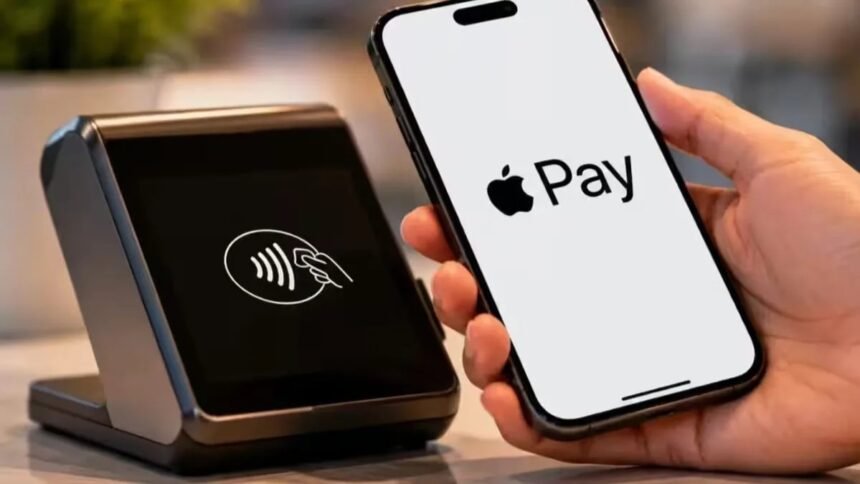
Apple Pay has arrived in India, offering users of iPhones and Apple Watches yet another option for making card payments. Initially, Apple Pay in India will be available with Visa and Mastercard credit cards issued by Axis Bank, with other banks expected to follow.

First-time users will need to do some setup before they can start using Apple Pay.

Apple Pay has launched in India for iPhones (XR+) and Apple Watches (Series 6+), supporting Visa and Mastercard credit cards primarily from Axis Bank. Users can add cards through the Wallet app or Axis Bank App for secure contactless payments in stores and online.

Step 1: Check eligibility

Apple Pay is available on iPhone XR or later running iOS 18 or later. It is also available on Apple Watch Series 6 or later running watchOS 11 or later.

Apple Pay India
Apple Pay India

Step 2: Add a card

Launch the Wallet app on your iPhone and tap the “+” to set up a card. You can follow the prompts to add an eligible credit card issued by Axis Bank or alternatively, Axis Bank customers may also use the Axis Bank App to add an eligible card.

Step 3: Verify card

Follow the prompts to verify your card. Once you’ve successfully added your card to Wallet, you can use Apple Pay to make payments.

Step 4: Pay at stores

When making payments at a store that supports contactless payments, double-click the side button of your iPhone and authenticate the payment using Face ID, Touch ID or your device passcode. Then hold the top of your iPhone near the contactless payment terminal till the transaction is complete.

Apple Watch users can launch the Apple Pay from the watch and activate their payment card. Then, hold the display of the Apple Watch near the contactless reader.

Step 5: Use Apple Pay on websites and apps

Apple Pay can also be used on websites and apps that support Apple Pay as a mode of payment. Instead of filling details of your card, you can authenticate payments made using Apple Pay from your device.

Where can I use Apple Pay?

Apple Pay is available at a number of merchants and services at launch, including Apple Store locations, Blinkit, Croma, Zomato, Tata 1mg, Ixigo, Chaayos and a number of Reliance brands. This list is expected to grow.

Apple has stated that Apple Pay aims to make card payments more convenient while still keeping the authentication secure on the user’s device. However, Indian users should note that UPI remains separate from Apple Pay and that initially Apple Pay will be available only with credit cards issued by Axis Bank.


TAGGED:AddAppleCardIndiaiPhonePayWatch
Share This Article
Facebook Email Copy Link Print
Previous Article Bangladesh women lose ground after quota reform
Next Article Final moments were nerve-racking: Esha Singh
Leave a Comment Leave a Comment

Leave a Reply Cancel reply

Your email address will not be published. Required fields are marked *

You Might Also Like

World

Bengaluru Airport Plans Door-To-Door Service From Home Pickup To Boarding Gate

Bengaluru oi-Madhuri Adnal Published: Thursday, September 3, 2026, 23:49 What…

6 Min Read
World

‘1 Year Of Pahalgam Attack Tomorrow’: Indian Army Sends Strong Message, A Recap Of The Horrific Terror Attack

India oi-Swastika Sruti Updated: Tuesday, April 21, 2026, 11:59 Tomorrow…

6 Min Read
World

Trump calls for unity after suspected attack at Washington hotel event

President Donald Trump adopted a subdued tone after a suspect…

8 Min Read
World

Horoscope for Today 01-June-2026 – Fresh Start Energy and Smart Moves in Love and Money for Aries, Gemini and Leo

Lifestyle -Darshana Tiwari Published: Monday, June 1, 2026, 0:00 Horoscope…

21 Min Read
Next India MagazineNext India Magazine
Follow US
© 2026 Next India Magazine powered by India Times Now. All Rights Reserved.
Welcome Back!

Sign in to your account

Username or Email Address
Password

Lost your password?