


By using this site, you agree to the Privacy Policy and Terms of Use.
Accept
Next India Magazine
  • Home
    • Home 2
    • Home 3Hot
    • Home 4
    • Home 5New
  • Home
  • Opinion

    That Provide Critical Analysis on Political Decision-Making

    krutikadalvibiz@gmail.com

    Analyzing Global Dynamics and Unraveling Key Policy Initiatives

    krutikadalvibiz@gmail.com

    Luxurious Stays Redefining Hospitality at Hotel Havens

    krutikadalvibiz@gmail.com

    Electric Cars Subsidies by German Taxpayers End Up on Foreign Roads

    krutikadalvibiz@gmail.com

    Challenge and Inspire Future of Political Thought

    krutikadalvibiz@gmail.com

    Assessing the Diplomatic Challenges and Global Security

    krutikadalvibiz@gmail.com
  • World
  • Politics
  • Market
  • Health
  • Insurance
  • Pages
    • Blog Index
    • Contact US
    • Search Page
    • 404 Page
    • Technology
    • World
  • Pages
    • Blog Index
    • Search Page
    • 404 Page
  • Technology
    TechnologyShow More
    Dr. Nishant Sawant: The Mind Behind Secure Digital Progress
    4 Min Read
    NASA’s Artemis II Mission Rekindles Humanity’s Dream of Deep Space Exploration
    5 Min Read
    Buying a Car Will Soon be Like Buying a Phone, Why Your Next Car Could be an EV
    Hands-On With the iPhone 13, Pro, Max, and Mini
    4 Min Read
    Explained: What are Smart Glasses and How Do It Work?
    4 Min Read
  • Posts
    • Post Layouts
      • Standard 1
      • Standard 2
      • Standard 3
      • Standard 4
      • Standard 5
      • Standard 6
      • Standard 7
      • No Featured
    • Gallery Layouts
      • Layout 1
      • Layout 2
      • layout 3
    • Video Layouts
      • Layout 1
      • Layout 2
      • Layout 3
      • Layout 4
    • Audio Layouts
      • Layout 1
      • Layout 2
    • Post Sidebar
      • Right Sidebar
      • Left Sidebar
    • Review
      • Stars
      • Scores
      • User Rating
    • Content Features
      • Highlight Shares
      • Inline Mailchimp
      • Print Post
      • Inline Related
      • Source/Via Tag
      • Reading Indicator
      • Content Size Resizer
    • Table of Contents
      • Full Width
      • Left Side
    • Sponsored Post
  • Contact
  • Pages
    • Search Page
    • 404 Page
Reading: Focus Hacks for Remote Workers: Practical Strategies to Protect Productivity
SUBSCRIBE
Next India MagazineNext India Magazine
Font ResizerAa
  • My Saves
  • Economics
  • Technology
  • My Interests
  • World
  • My Feed
  • History
  • Business
  • Technology
  • Lifestyle
  • Fashion
  • Health
  • Technology
  • World
Search
  • Pages
    • Blog Index
    • Contact Us
    • Search Page
    • 404 Page
  • Home
    • Home 1
    • Home 2
    • Home 3
    • Home 4
    • Home 5
  • Home
  • Blog
  • Categories
    • Technology
    • Lifestyle
  • Personalized
    • My Feed
    • My Saves
    • My Interests
    • History
  • Demos
  • Categories
    • Technology
    • Business
    • Fashion
    • Economics
  • Bookmarks
  • Categories
    • Technology
    • Health
    • World
  • More Foxiz
    • Blog Index
    • Sitemap
  • Bookmarks
  • Contact
  • More Foxiz
    • Sitemap
Have an existing account? Sign In
Follow US
  • Home
  • World
  • Contact
  • Blog
© Foxiz News Network. Ruby Design Company. All Rights Reserved.
World

Focus Hacks for Remote Workers: Practical Strategies to Protect Productivity

India Times Now
Last updated: June 8, 2026 3:23 am
India Times Now
7 Min Read
Share
SHARE

Contents
Use simple methods to stay on trackCut digital distractions during work from homeRun meetings that protect productivityUse breaks and movement to keep attentionSet boundaries between work and home lifeChoose tools that support deep work

Lifestyle

-Oneindia Staff

Time
Updated: Monday, June 8, 2026, 8:47 [IST]

Remote work can help you save travel time, but it can also harm focus. Home noise, phone alerts, and extra meetings can break your flow. Focus hacks for remote workers aim to protect your best work hours. They use simple routines, clear rules, and smart use of tools. The goal is steady productivity, not longer hours.

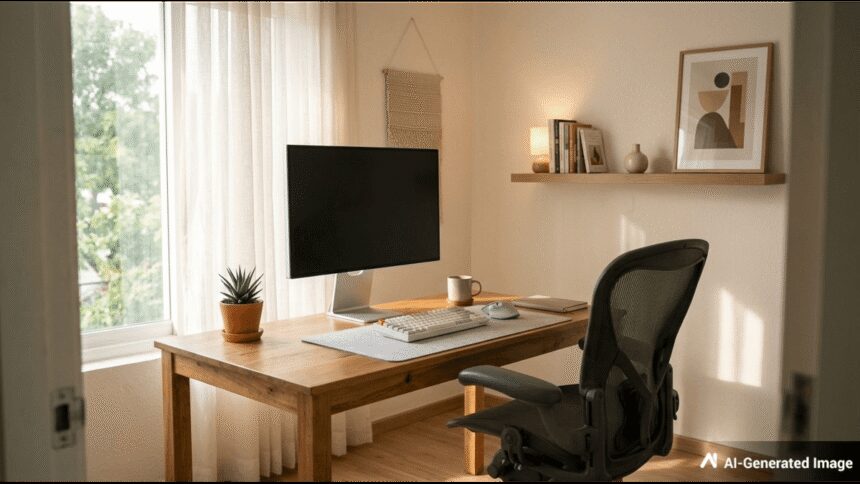
Pick one main work spot at home, if you can. Keep it for work only. Use a chair that supports your back. Place your screen at eye level. Keep water and a notebook near you. A small, tidy desk lowers stress. It also reduces time spent looking for cables, pens, and files.

To boost remote work focus, establish a dedicated workspace, plan tasks efficiently, use time blocking or Pomodoro, minimize digital distractions by scheduling communication checks and muting alerts, and set firm work-life boundaries.

Focus Hacks for Remote Workers to Protect Productivity

Control sound and light as much as possible. Face a wall or window, not a busy room. Use soft, even light to avoid eye strain. If noise is a problem, try earplugs or calm music. Tell people at home your work hours. A simple sign on the door can help.

Start with a short plan that lists three key tasks. Write them before you open email or chat. This keeps your day goal-led, not message-led. Break each task into small steps. Small steps are easier to start. They also make it clear when the work is done.

Use time blocking to protect focus time. Put two to three blocks on your calendar. Keep each block 45 to 90 minutes. Add a short break after each block. If a task feels hard, start with a 10-minute block. Starting often beats waiting for the right mood.

Use simple methods to stay on track

The Pomodoro method works well for many remote workers. Work for 25 minutes, then break for five. After four rounds, take a longer break. Keep breaks away from social media. Stand up, stretch, or drink water. This method limits tiredness and helps you restart faster after a pause.

Try a single-task rule during focus blocks. Keep only one tab or app as your main screen. If a new idea comes up, write it on a quick list. Return to it later. This stops task switching. Task switching can look like work, but it often slows real progress.

Cut digital distractions during work from home

Most focus loss comes from alerts. Turn off all non-work phone alerts. Put the phone out of reach during deep work. On your laptop, mute chat tools for short periods. Use “Do Not Disturb” when you need quiet time. Tell your team when you will be back online.

Keep email and chat checks on a schedule. For example, check at 11 am, 2 pm, and 5 pm. This reduces the urge to refresh inboxes. Use filters and labels for key clients or team leads. Unsubscribe from low-value lists. Less noise makes important messages easier to spot.

Run meetings that protect productivity

Remote meetings can fill the day if left open. Ask if a meeting is needed, or if a note will do. Use a clear agenda and a set end time. Keep small updates in chat or a shared doc. Shorter meetings give you more time for focused work.

Batch meetings into a single part of the day, if possible. Many people focus better in the morning. They do meetings in the afternoon. Add a 10-minute gap between calls for notes and water. This lowers mental load. It also stops meetings from spilling into your next task.

Use breaks and movement to keep attention

Focus drops when you sit too long. Add short movement breaks each hour. Walk for two minutes or do light stretches. Look away from the screen to rest your eyes. Eat lunch away from your desk when you can. These steps help you return with better attention and less strain.

Sleep and food affect focus more than most apps. Keep a steady sleep time on work nights. Choose meals that do not make you sleepy. Drink water through the day. If you take tea or coffee, avoid late hours. Small health habits support steady work from home productivity.

Set boundaries between work and home life

Remote workers often work longer without noticing. Set a clear start and end time. Use a short start routine, like a plan and a quick tidy. End with a shut-down list for tomorrow. Then close work tabs. A clear stop helps your mind rest and improves focus the next day.

House tasks can pull you away during the day. Park them on a list for later. If you must do one task, time-box it. For example, set a 10-minute timer for laundry. Then return to work. This keeps control with you, not with random needs that pop up.

Choose tools that support deep work

Use a simple task tool that you will keep using. A basic to-do list is fine. The key is one trusted place for tasks. Keep your calendar for time blocks and meetings. Use a notes app for quick capture. Too many tools can add work and reduce focus.

If websites distract you, use a site blocker during focus blocks. Track your work time if it helps you learn patterns. Review once a week. Look for repeat issues, like late meetings or too much chat. Small changes each week can improve focus, deep work time, and daily output.

TAGGED:FocusHacksPracticalProductivityProtectRemoteStrategiesWorkers
Share This Article
Facebook Email Copy Link Print
Previous Article Amid surgery rumours, Shoaib Ibrahim reveals Dipika Kakar has begun immunotherapy after cyst diagnosis
Next Article Avinash Mishra shuts down engagement and dating rumours with Eisha Singh: ‘My mom will decide who I’ll get married to’
Leave a Comment Leave a Comment

Leave a Reply Cancel reply

Your email address will not be published. Required fields are marked *

You Might Also Like

World

Asha Bhosle Passes Away: Lesser-Known Facts About the Legendary Singer’s Life, Global Achievements, Personal Struggles, and Timeless Musical Legacy

Entertainment oi-Swastika Sruti Published: Sunday, April 12, 2026, 14:31 India…

6 Min Read
World

US Navy imposes Iran sea blockade as Strait of Hormuz shipping risks rise

The US Navy says a sea blockade on Iran is…

7 Min Read
World

Arunachal Pradesh Singam Summit Eve Ning Winners June 9 — Explore Full Results

India -Oneindia Staff Published: Tuesday, June 9, 2026, 19:31 The…

1 Min Read
World

From Prompts to Pallu: How AI Image Tools Sparked the Viral ‘Gemini Saree Trend’

Artificial Intelligence oi-Oneindia Staff Published: Monday, April 27, 2026, 14:33…

2 Min Read
Next India MagazineNext India Magazine
Follow US
© 2026 Next India Magazine powered by India Times Now. All Rights Reserved.
Welcome Back!

Sign in to your account

Username or Email Address
Password

Lost your password?